Café Management System

A simple point-of-sale system for church cafés

Sales and orders, right from your phone. You can use it for any small-scale selling, but it's built especially for running a church café — queues, orders, and work split across several people and phones.

  • Sales, queue, and history in one menu
  • Pair several phones into one operation
  • Access for owners, shift leads, and staff
What you get
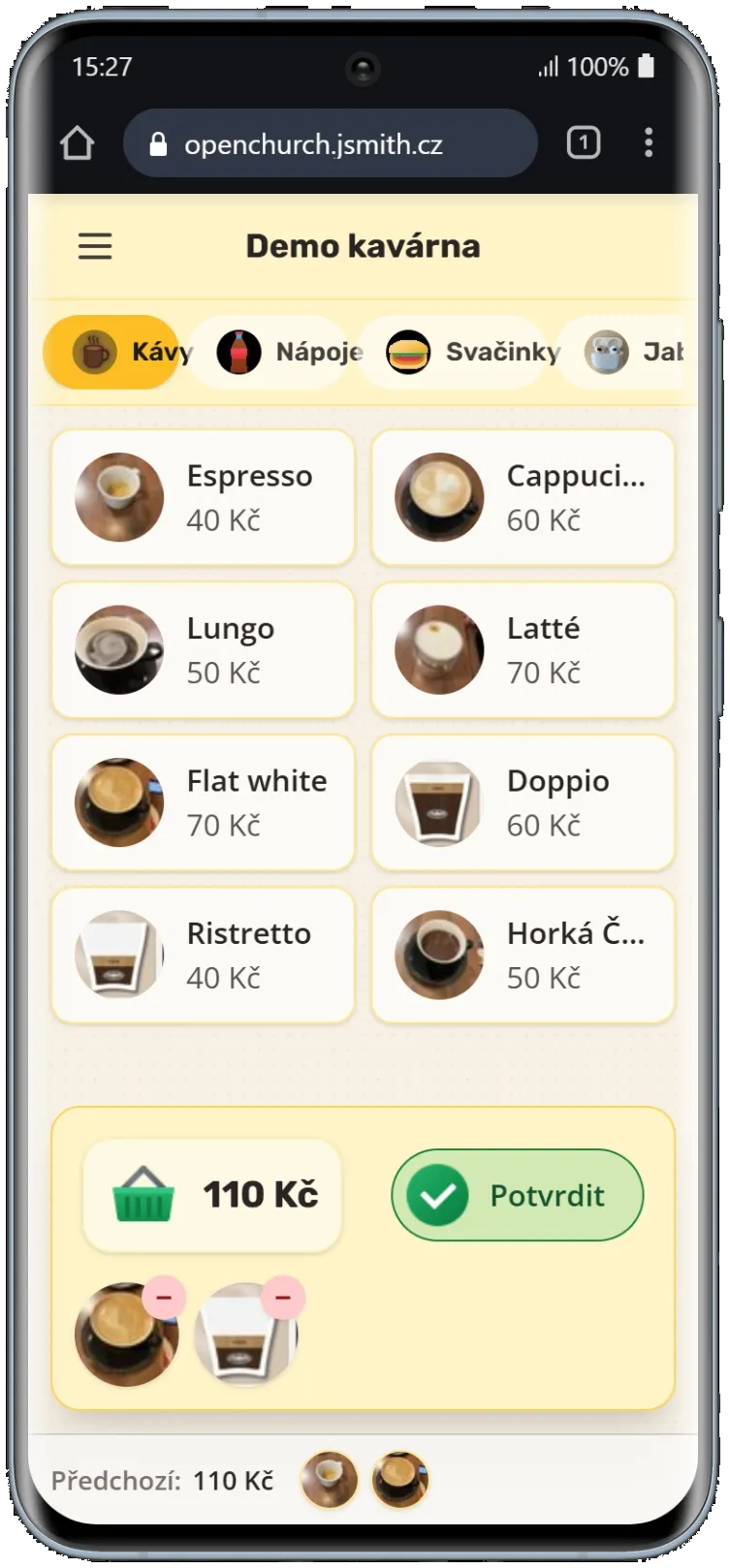
A mobile café sales screen with a visual menu and cart
Orders and daily operations, clear on every phone.

What you get

Three areas that cover everyday operations.

From the first order to the final overview, features are grouped into three connected areas so staff and admins can understand the system quickly.

01

Orders, menu, and roles in one place

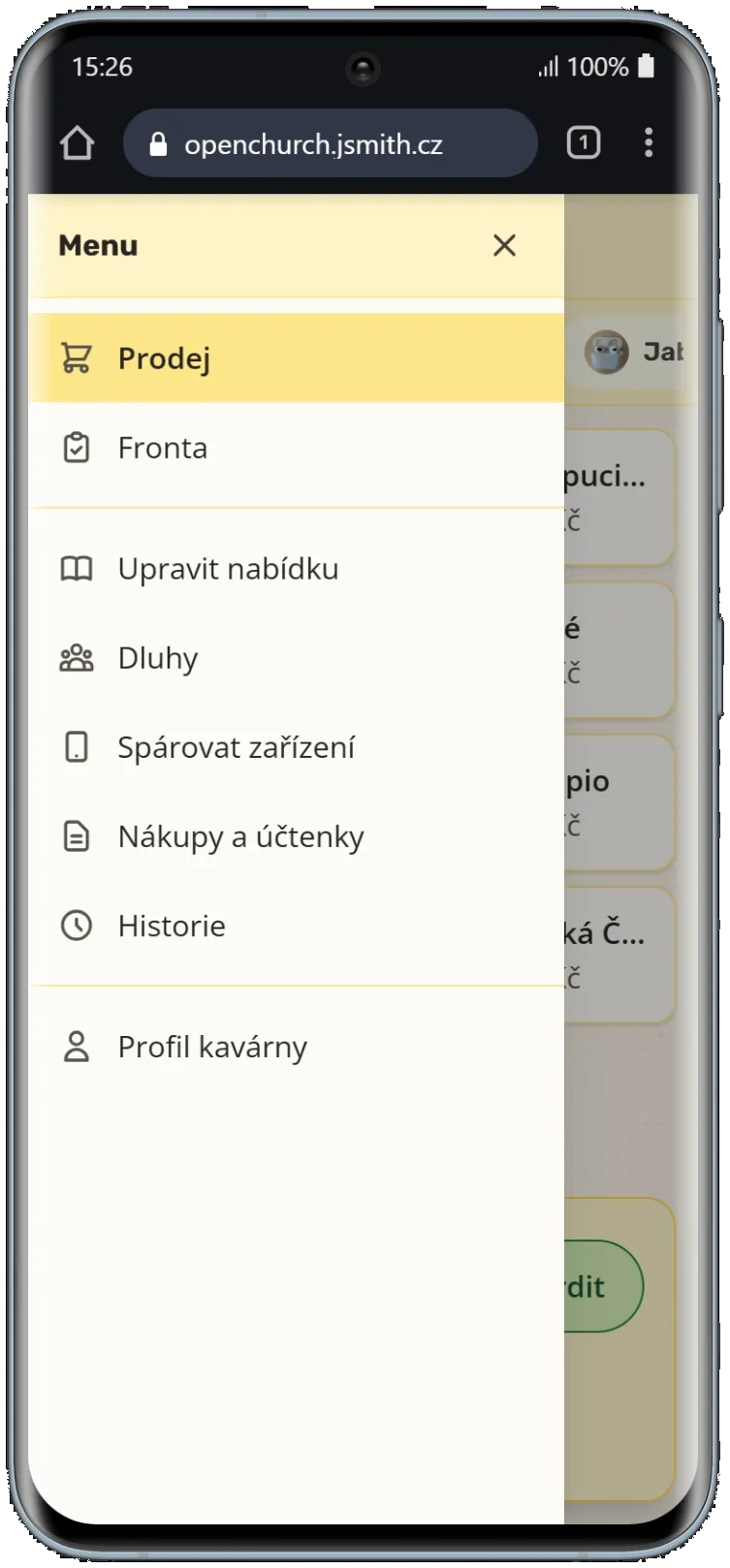
Sales, the order queue, tabs, and history — everything is reachable from one simple menu. Staff work on their own phone and see only the tools their role needs.

  • Sales, queue, and history in one menu
  • Pair several phones into one operation
  • Access for owners, shift leads, and staff
  • Quick onboarding for volunteers
Café app menu with sections for sales, queue, tabs, purchases, and history
02

Prepaid balances, tabs, and discounts

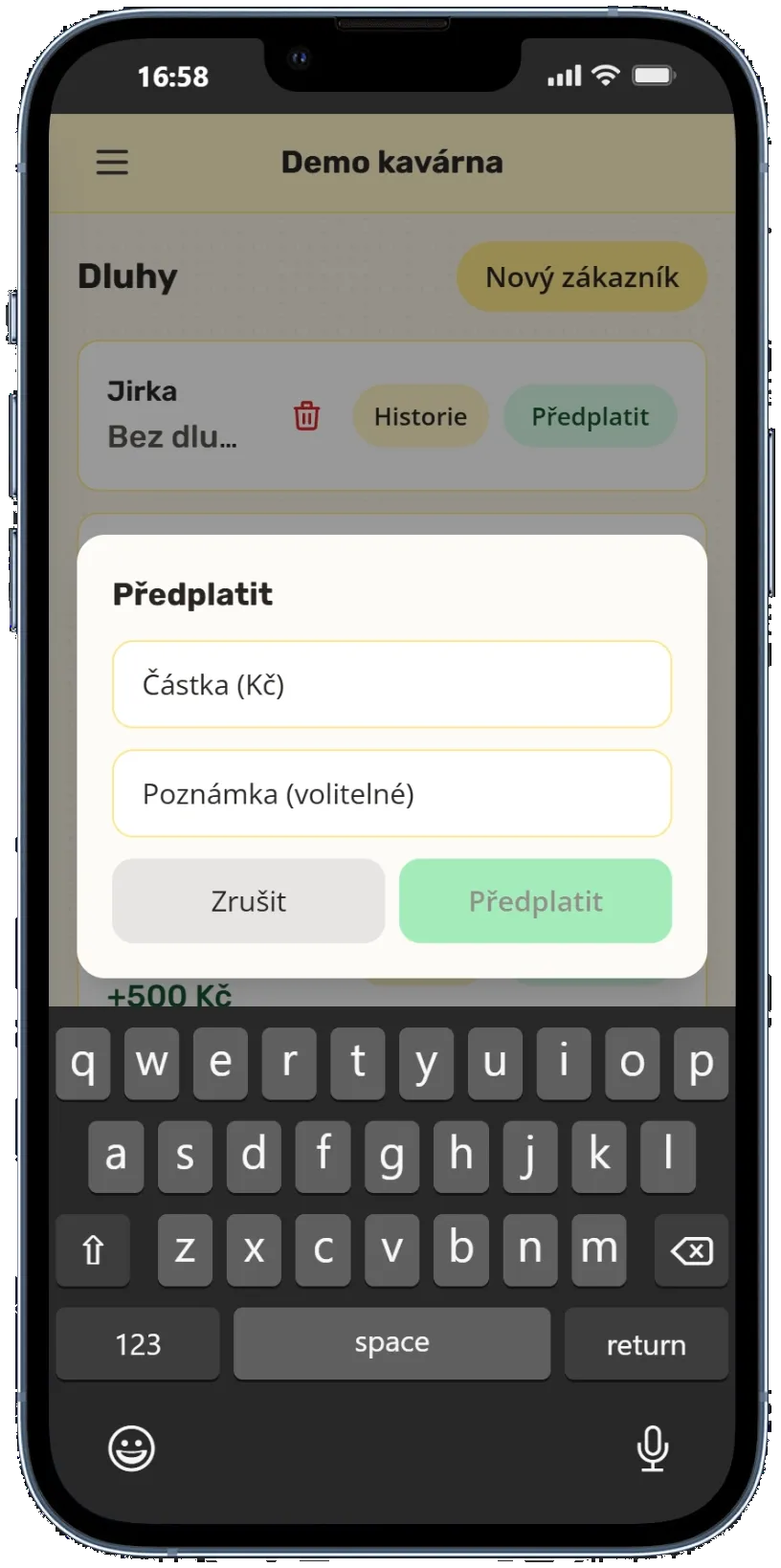
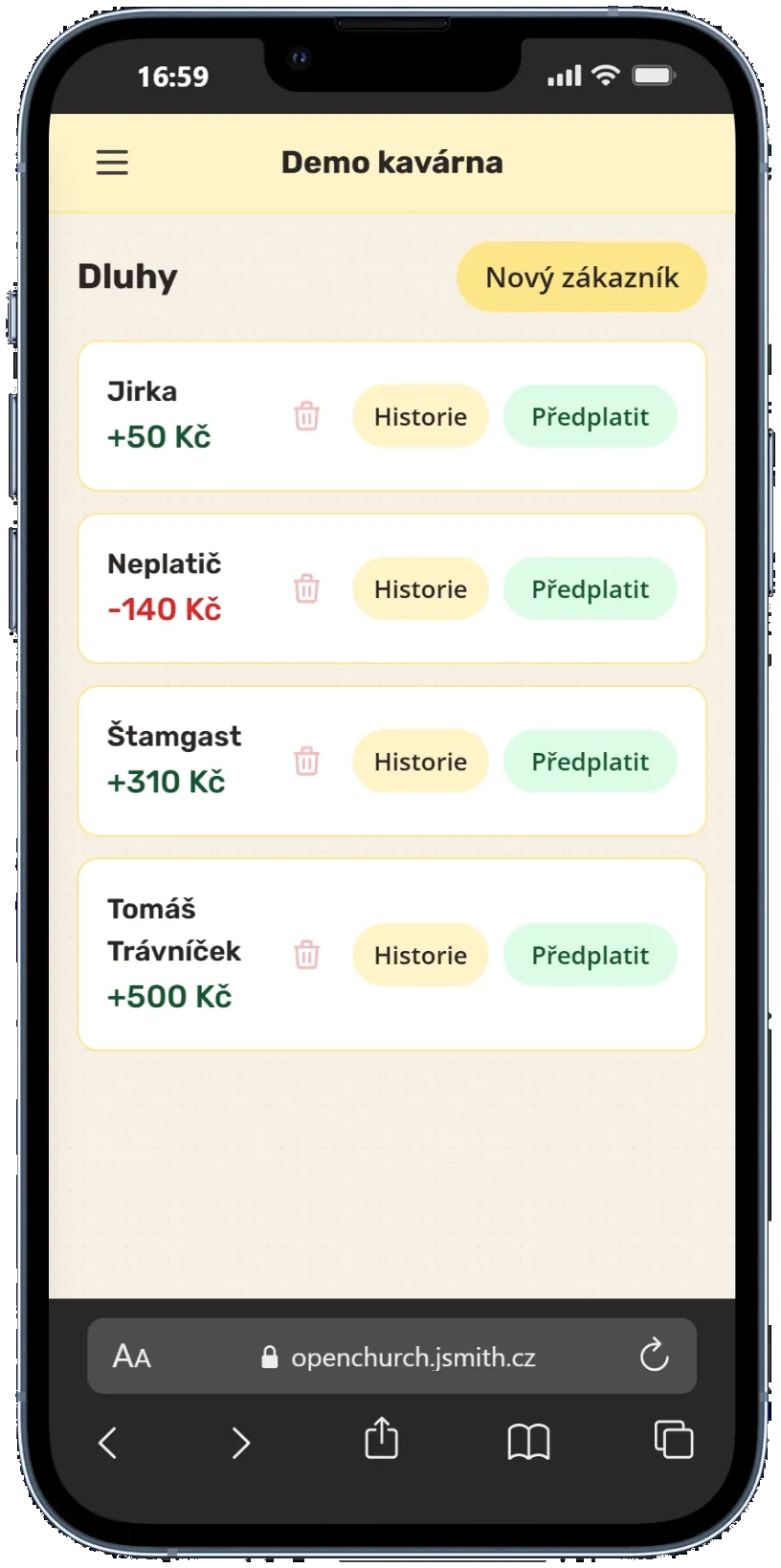
Find a regular by name, add credit, or keep track of an outstanding amount. Discounts and complimentary items remain clearly recorded in the history.

  • Prepay any amount
  • Look up visitors by name
  • Track outstanding balances
  • Keep discounts and free items in the history
Dialog for adding credit to a visitor's prepaid café account
Visitor list with prepaid credit and outstanding balances
03

Receipts and an overview of operations

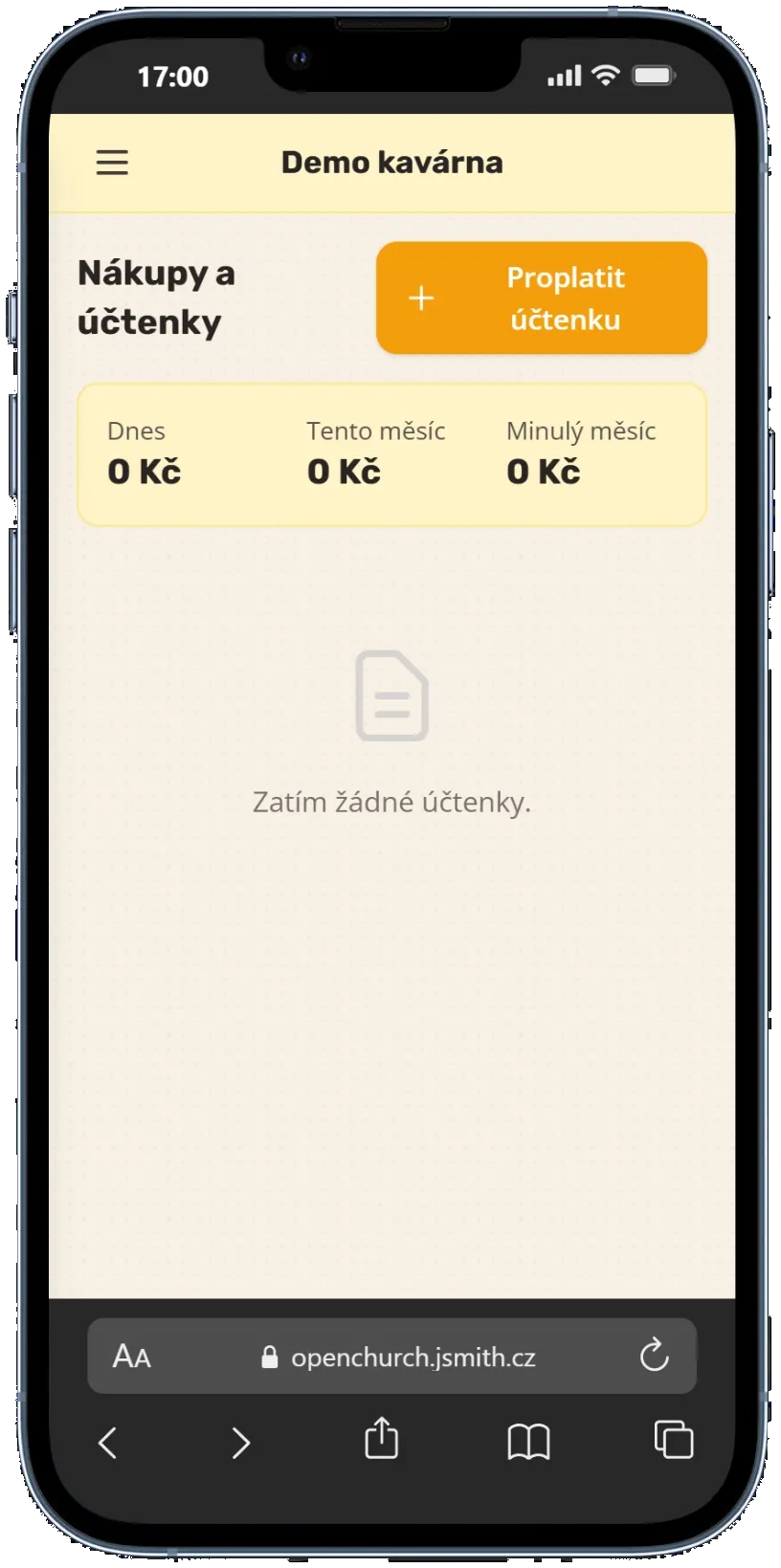
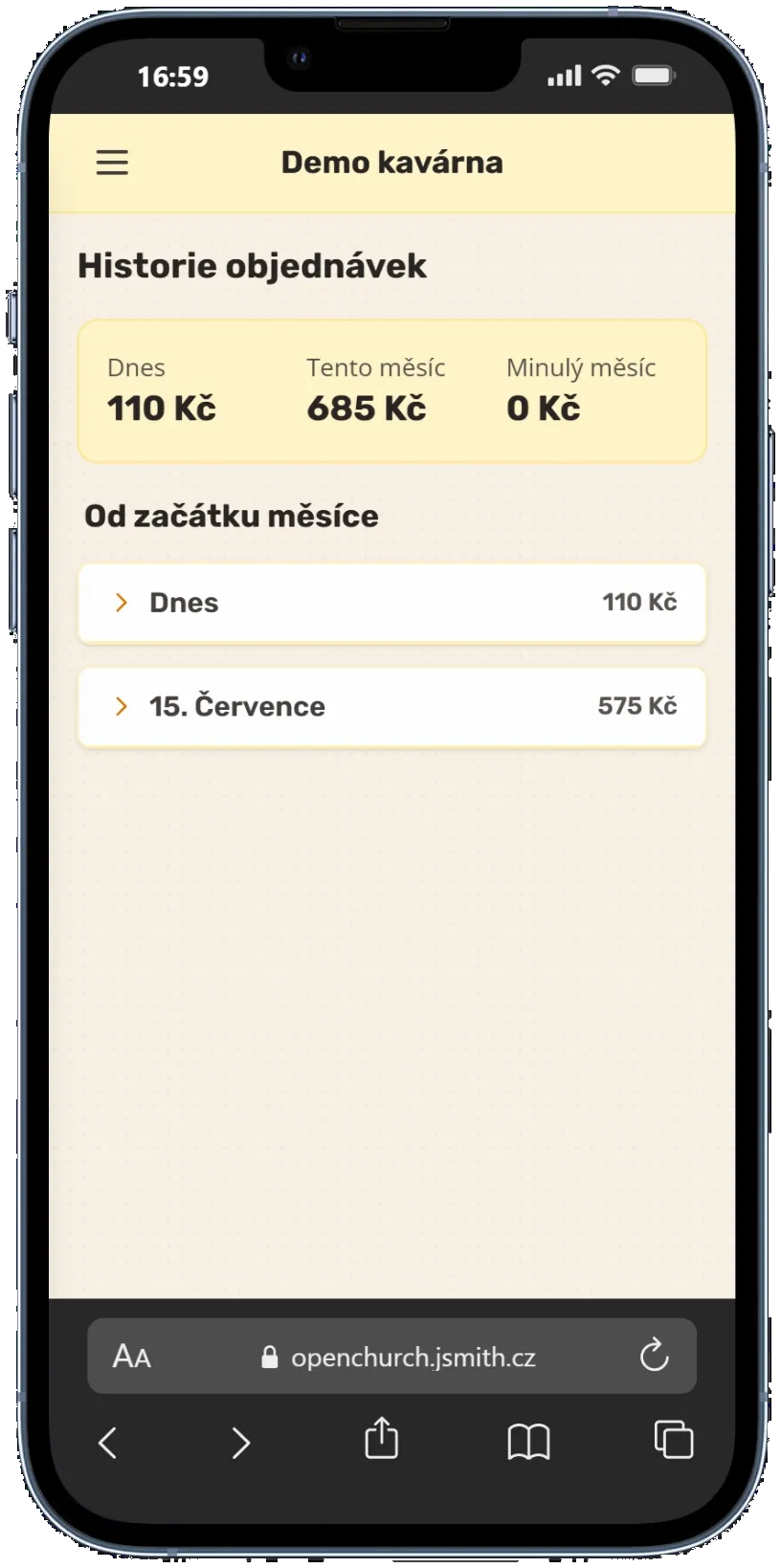
Purchases for the café, receipt reimbursements, and order history all stay in one place. Admins can review results by day, month, or the full period.

  • Photograph receipts right in the app
  • See which expenses have been reimbursed
  • Review order and sales history
  • Export data to Excel
Café purchases and receipts overview in the mobile app
Order history with daily and monthly sales totals

What the system doesn't include yet

The goal isn't to add more administration, but to remove confusion. You only use what your operation actually needs.

  • card payments
  • automated accounting
  • inventory management

Inquiry

Book a demo

Tell us how your café runs today — how many people take turns behind the counter and what slows you down most. We will prepare a demo and suggest a scope that fits.

You are sending us a message. We use it only to answer your inquiry and never pass it on.

Unity Christ

A simpler way to run things, for people who serve

The system gives you a simple overview, clear roles, and shared, up-to-date data across every device. Less confusion behind the counter, more room for connection and ministry.